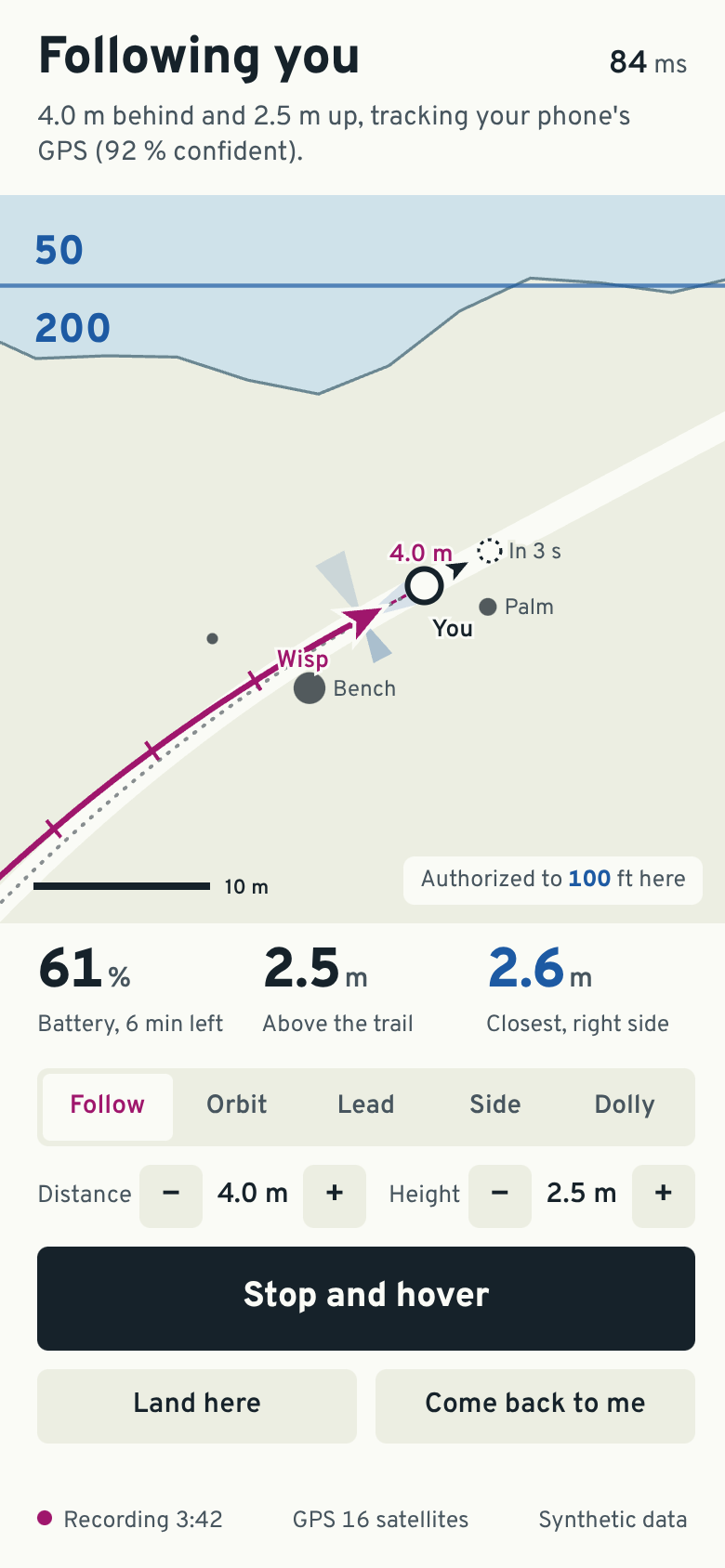
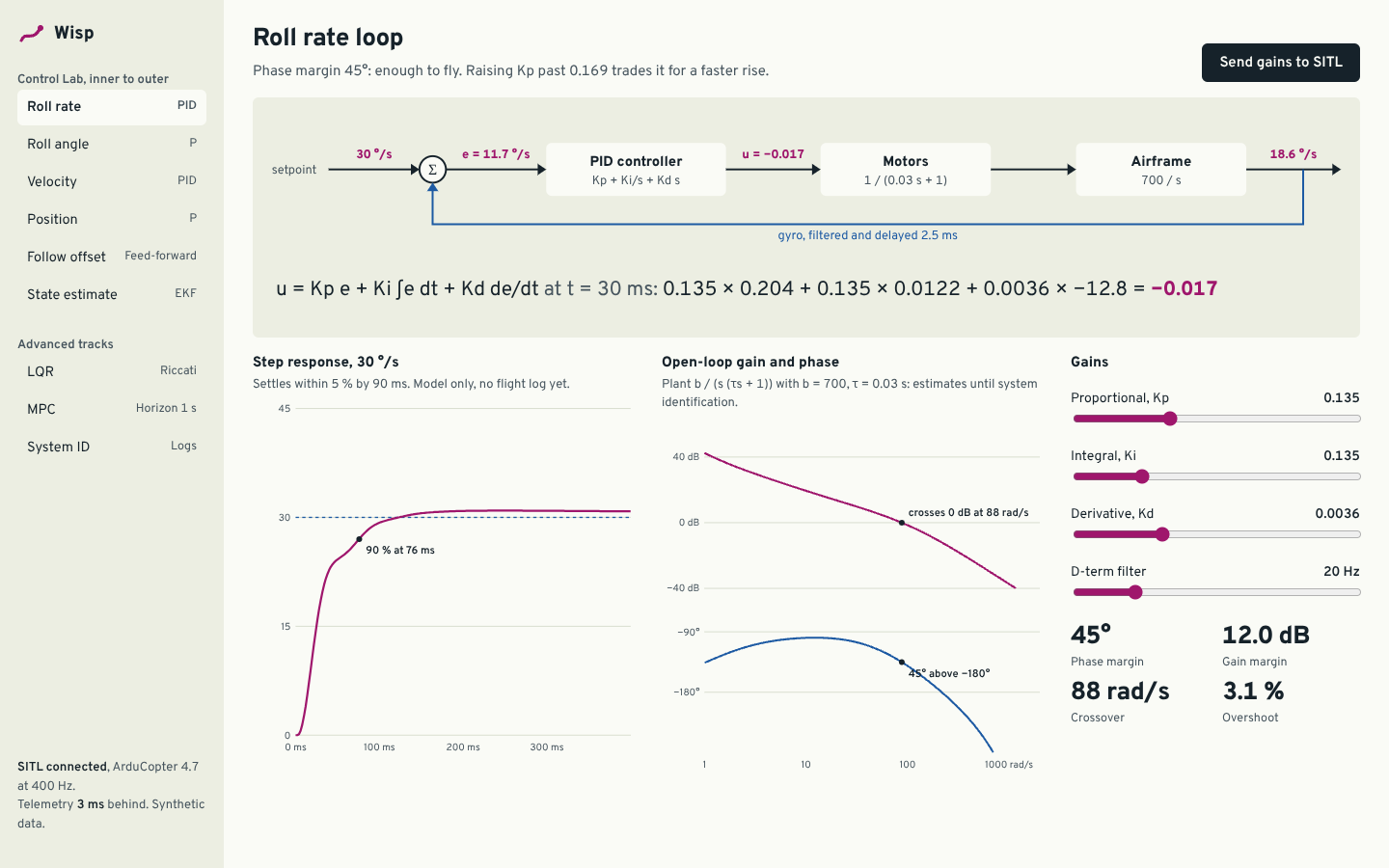
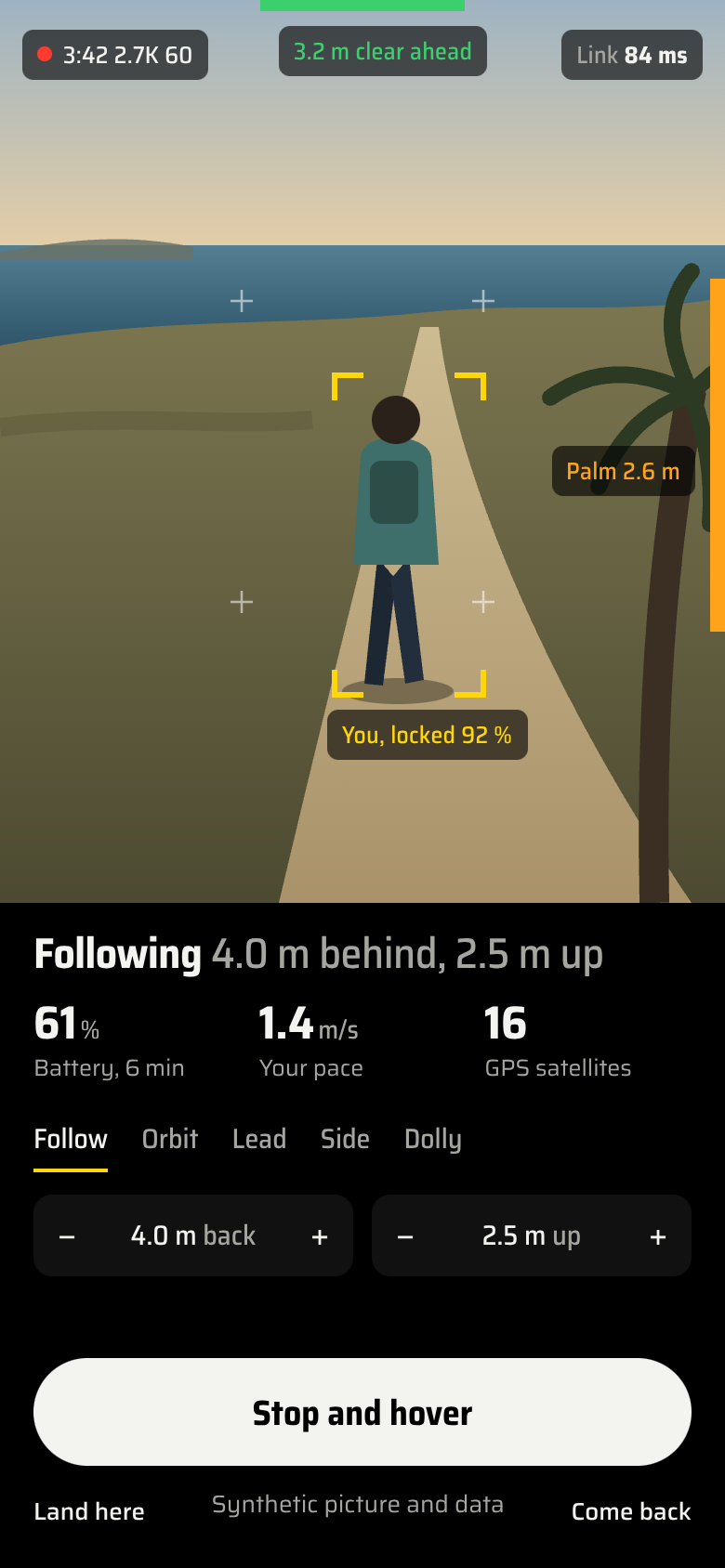
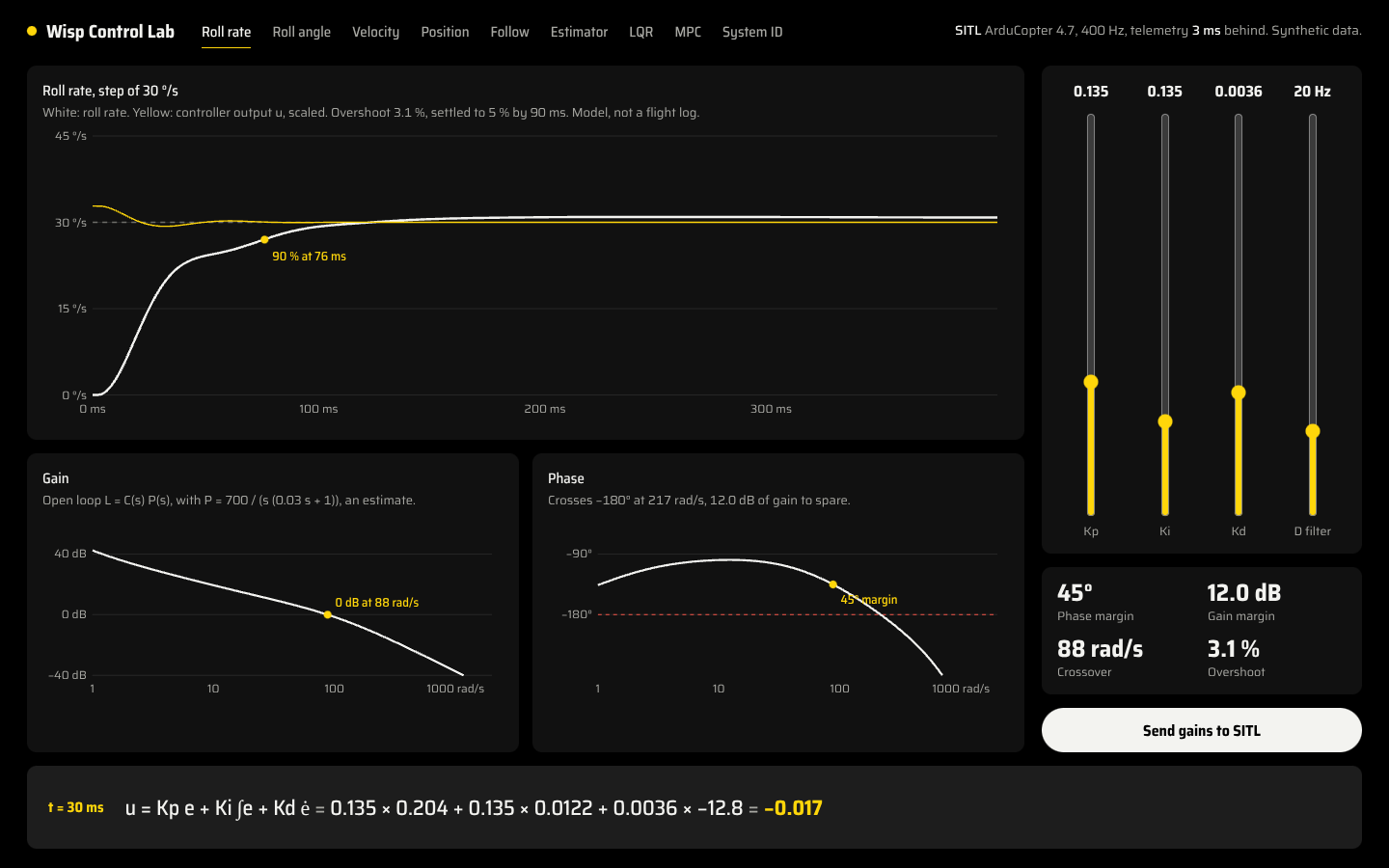
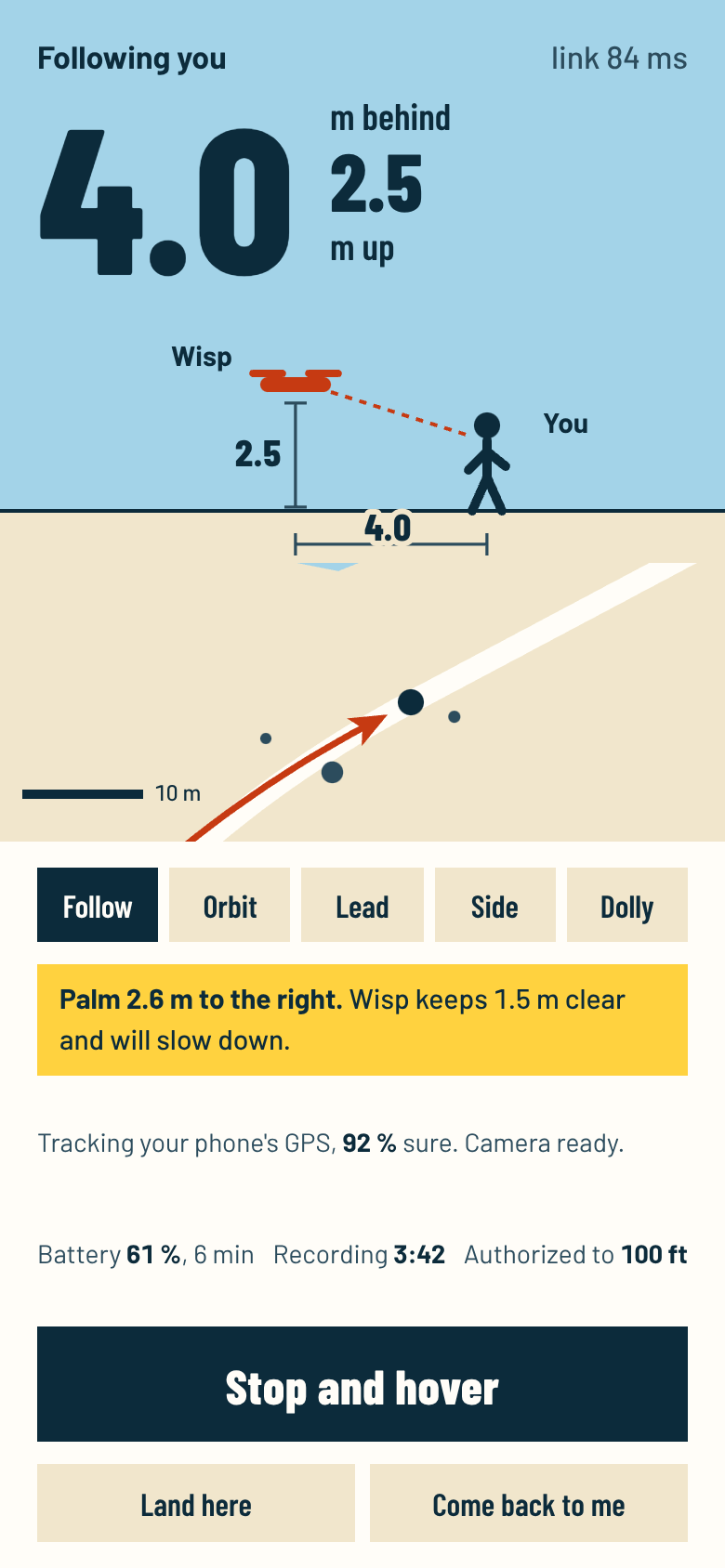
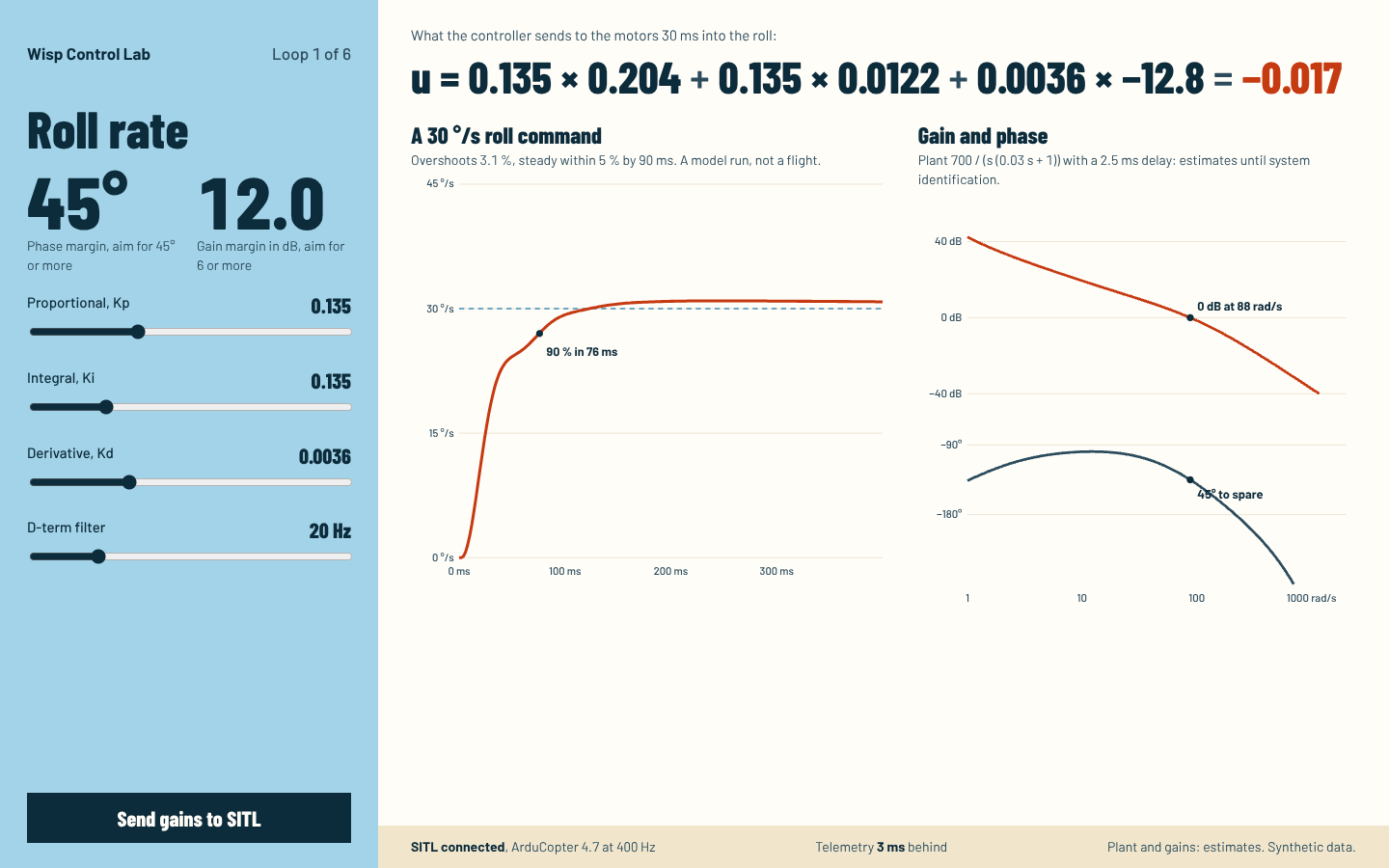
Each concept is a whole visual world for the ground-control app and the website, shown on the two screens that matter most: the follow-me screen on a phone in the sun, and the Control Lab on a laptop. All three show the same synthetic moment: Wisp 4 m behind and 2.5 m above you on a cliff-top trail, a palm 2.6 m to its right.
Phase 0 proposal for review. Synthetic data; nothing here has flown. The Control Lab mockups are live: move the gains and the equation, step response and margins update from the same loop model.
Sectional
The aviation chart. In Los Angeles most of the sky is controlled airspace, so the map a pilot already trusts becomes the interface: chart tints for land and sea, airspace blue for every limit and sensor, chart magenta only for Wisp and its path.
Overpass, one family. It descends from Highway Gothic, the lettering of US road signs.
Signature
The facility-map ceiling printed where you fly, and Wisp's path with a tick every 5 seconds.
Website
Opens on a chart of San Pedro Bay; the scroll zooms from the airspace rings to the trail, the drone assembles as a chart symbol and lifts off as the chart tilts into 3D.
Risk
Can read as a map app. The magenta must stay Wisp's alone.
The field monitor on a film set. The follow-me screen is the picture itself, framed the way a camera operator frames it; colour is a calibrated scale, not decoration: false colour for distance to obstacles, peaking yellow for what Wisp tracks, tally red only while recording.
Colour
Committed dark; colour only on data.
Type
Saira and Saira Semi Condensed: the squared lettering of camera menus.
Signature
Obstacle distance painted on the frame edges; gains on faders like a camera control unit.
Website
A shot list: each section is a take with the live picture; the lock-on moment snaps the brackets onto a walking person.
Risk
A dark phone screen is hard to read in direct sun, the main place it is used. Needs a high-brightness outdoor variant.
The Los Angeles lifeguard tower. Fields of sun-faded tower blue and sand, numbers painted big enough to read across the beach, rescue orange only for Wisp, and the beach-flag yellow for anything that needs your attention.
Colour
Committed: the tower blue carries a third to half of each screen.
Type
Barlow and Barlow Condensed, drawn from California's public signage.
Signature
A side view of you and Wisp with dimension lines, so height and distance read at a glance.
Website
Walks along the beach: towers as chapter markers, the drone dodging a palm, equations painted on boards.
Risk
Playful for a control-theory lab, and Los Angeles County beaches ban drones, so it evokes a place Wisp may not fly.
Sectional for the app. It is the only one built from what the screen must protect: airspace, limits and distances are its native language, it reads in full sun, and its Control Lab is the calmest place to study a loop. Monitor's picture-first screen is worth keeping as the view when camera tracking is active.
The website can be bolder than the app: any of the three worlds can carry the scroll story. Your pick, or a mix, decides the design system for Phase 1.